Stop scrolling WhatsApp for orders. Start baking.
Your own order page, PayNow QR for every order, paper tickets that print by themselves, and a morning helper that tells you what to bake. Set up at your home in 48 hours. No commission, ever.
From order to oven, in four steps
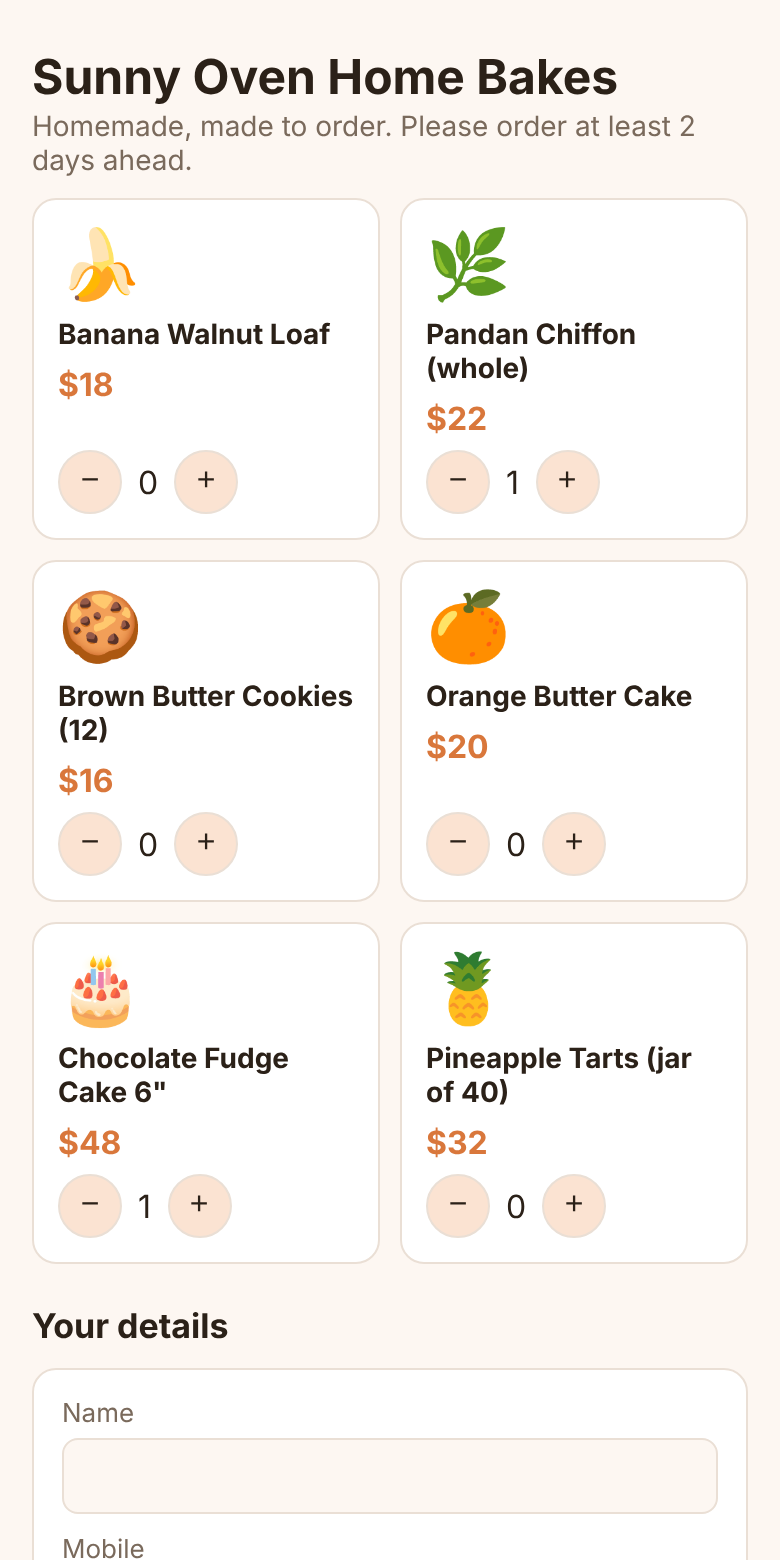
Customer orders
They pick bakes, a date and a time slot on your page. Full days and your break days can't be picked.
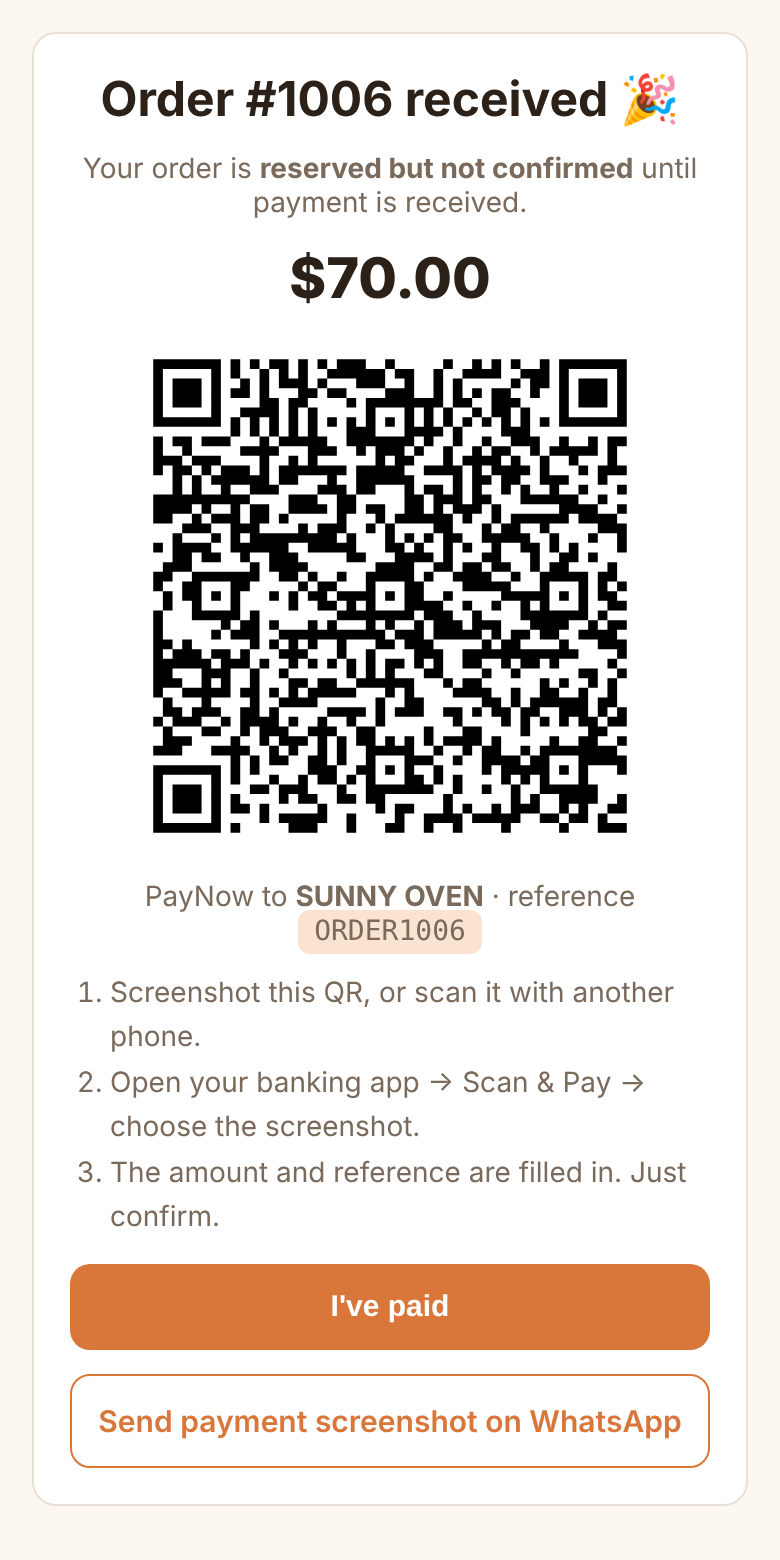
Pays by PayNow
A QR with the exact amount and order number locked in. Money goes straight to you.
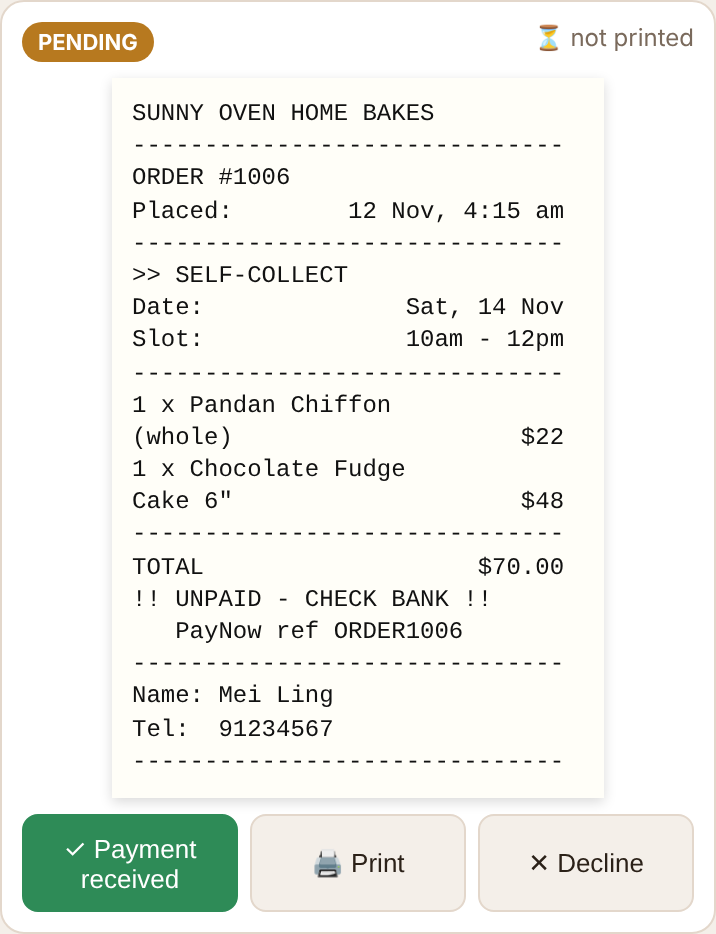
Ticket prints
A paper ticket prints at home with a beep. It says UNPAID until you tap "Payment received".
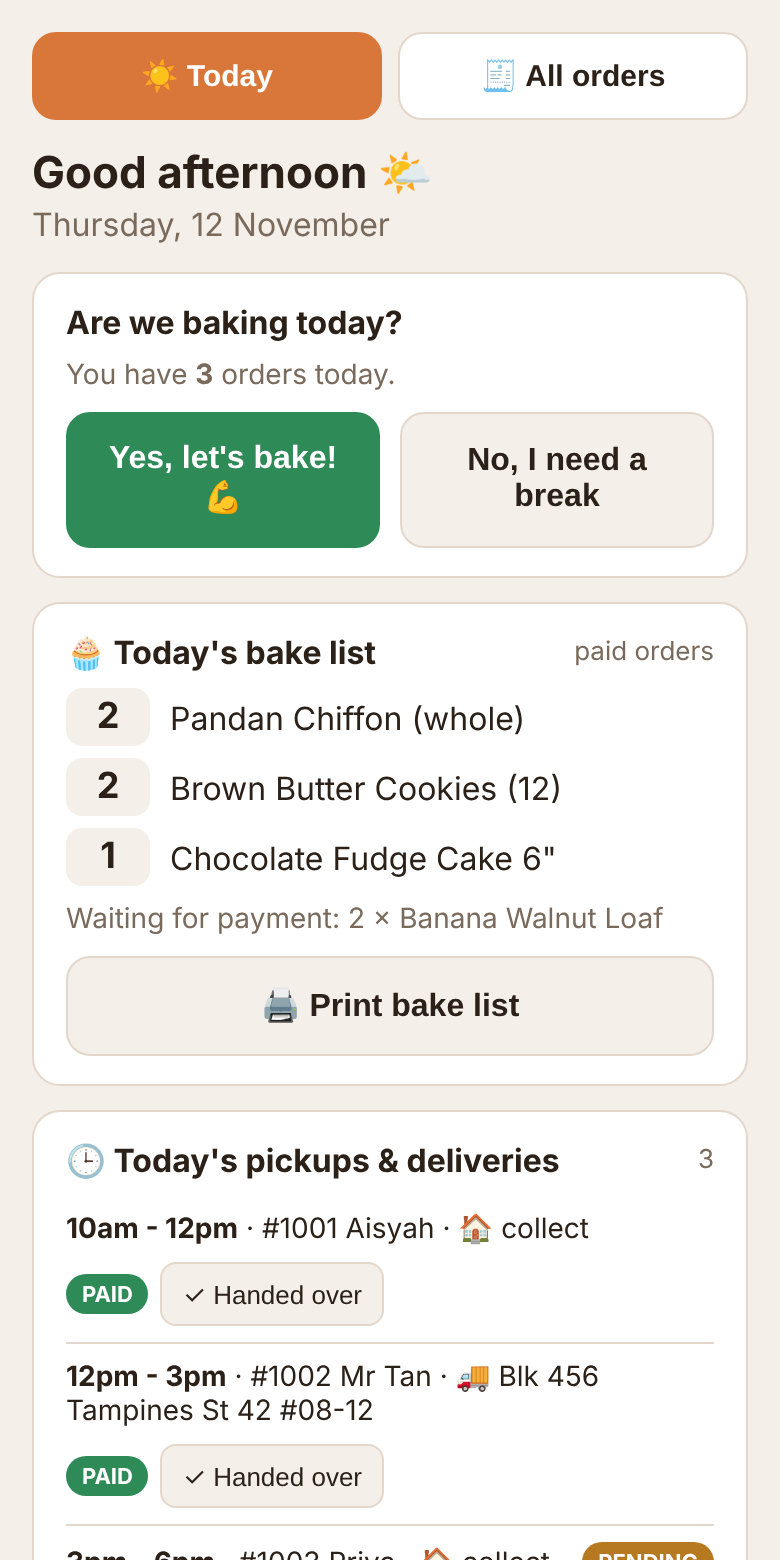
You bake
Every order is saved in your own Google Sheet, plus an email for each one.
"Good morning! Are we baking today?"
- Today's bake list: every paid order added up. "2 × Pandan Chiffon, 1 × Chocolate Fudge."
- Pickups and deliveries in time order, with one tap to mark them handed over.
- Money check: unpaid orders, with a polite WhatsApp reminder already written for you.
- Tomorrow's prep: what to make, and a shopping check ("eggs × 19, butter 520g").
- Need a break? Pause orders in one tap. Customers can still pre-order for when you're back.
- 8am email with the same summary, every morning.
Pick what fits your kitchen
Order Page
For bakers who want orders organised, without a printer.
- Your order page with your menu and photos
- PayNow QR for every order
- Orders in your own Google Sheet + email alerts
- Morning helper and 8am email
- Daily limits, blocked dates, pause button
Order + Printer
Everything in Order Page, plus tickets that print by themselves.
- 58mm Bluetooth receipt printer included
- Set up at your home, tested with a live order
- Auto-print on an Android phone or tablet
- Printed daily bake list
- Starter pack of 10 paper rolls
Full Shopfront
Everything in Order + Printer, plus a proper home on the web.
- Simple website: menu, story, photos, FAQ, Instagram
- Your own web address (domain fee extra, about S$20/yr)
- Linked from your Instagram bio and WhatsApp
- Seasonal menu set-up (CNY, Raya, Christmas)
Care Plan
Thermal paper delivered to your door, menu and price changes, festive menus, and help on WhatsApp when you need it. Cancel anytime.
Your money, your data, your rules
No marketplace commission and no monthly platform fee. Customers pay you directly by PayNow. Customer details stay in your own Google account. You set your lead time, your daily limit and your days off, and the order page follows them.
Do I need to be good with tech?
No. We set everything up and show you how it works. Day to day, you only tap big buttons: "Payment received", "Handed over", "Pause orders".
Do you take a cut of my sales?
Never. You pay the setup fee once, and the Care Plan only if you want it. Every dollar from customers goes straight to your PayNow.
How do I know if a customer has really paid?
Each order has its own reference, like ORDER1042, which shows in your bank app. Orders stay marked UNPAID until you confirm, and tickets say so clearly.
What if the printer or wifi stops working?
Nothing is lost. Every order is still saved in your Google Sheet and sent to your email. Tickets print once the printer is back.
Can I turn down an order?
Yes. Tap Decline, pick a reason, and WhatsApp opens with a polite message to the customer already written.
I'm a home cook, not a baker. Does it work for me?
Yes. The same system works for home-cooked meals, frozen food, kueh and catering trays, with "cook list" instead of "bake list".
Do I need an iPhone or Android?
Your customers can use any phone. For tickets to print by themselves, the printer runs from an Android phone or tablet (an old one is fine). On iPhone, you print with one tap per order.